Default content
This page shows every semantic element with no block applied, so the global typography, spacing, links, lists and button treatments can be reviewed on their own. Everything here is styled by the foundation, not by any block. The whole set is repeated on a dark band further down, so every element — not just the icons — can be checked in its inverted (white-on-dark) form.
Heading level 1 — a healthier smile
Heading level 2 — straighten with confidence
Heading level 3 — comfort and convenience
Heading level 4 — treatment details
Heading level 5 — clinical notes
Heading level 6 — fine print
Body text
SureSmile offers several methods of teeth straightening for simple and complex cases. Body copy is set in Figtree at a comfortable reading size and line height, with near-black ink on white for reliable contrast.
A second paragraph shows the vertical rhythm between blocks of prose. Inline styles are supported: a standard text link in the brand blue, bold emphasis, italic emphasis, and inline code.
Lists
- Clear aligners for everyday convenience
- Braces with digitally designed, robotically bent wires
- Retainers to protect your results
- Consult with a SureSmile doctor
- Receive a customised treatment plan
- Begin treatment and track your progress
Blockquote
Three out of four SureSmile aligner cases required no refinements — more efficient treatments and happier patients.
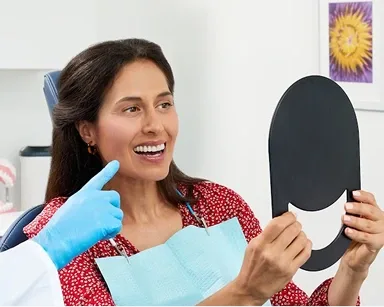
Image
Links, buttons and the accent link
The default (unclassed) link renders as the brand black pill CTA when it stands alone in its paragraph:
Authored emphasis on a lone link drives its style — bold is a primary button, bold italic is a secondary button, and italic is the accent link (all-caps + trailing chevron; NOT a button):
An accent link to a downloadable file shows a down-arrow instead of the chevron:
Icons
Every repo-hosted icon, placed with the authorable colon token — type :name: in the document (e.g. :aligners:) and it renders as the icon. Each icon adapts its colour to the section automatically: the dark glyph shows on light bands (below) and the white glyph on the dark band (further down) — the author never picks a colour version.
Everything on a dark band
The whole default-content set repeated on a background-dark-gradient section. All text, links, list markers and icons invert to white automatically, and the buttons auto-invert too — the primary becomes a white pill and the secondary a white outline — so contrast can be checked without any author choice.
Heading level 1 — a healthier smile
Heading level 2 — straighten with confidence
Heading level 3 — comfort and convenience
Heading level 4 — treatment details
Heading level 5 — clinical notes
Heading level 6 — fine print
SureSmile offers several methods of teeth straightening for simple and complex cases. Body copy is set in Figtree at a comfortable reading size and line height. Inline styles are supported: a standard text link, bold emphasis, italic emphasis, and inline code.
- Clear aligners for everyday convenience
- Braces with digitally designed, robotically bent wires
- Retainers to protect your results
- Consult with a SureSmile doctor
- Receive a customised treatment plan
- Begin treatment and track your progress
Three out of four SureSmile aligner cases required no refinements — more efficient treatments and happier patients.
Buttons and the accent link on the dark band — the buttons invert to white automatically: